


Google Analytics 4
To activate Google Analytics 4, go to "Modules -> All modules -> Analytics GA4".
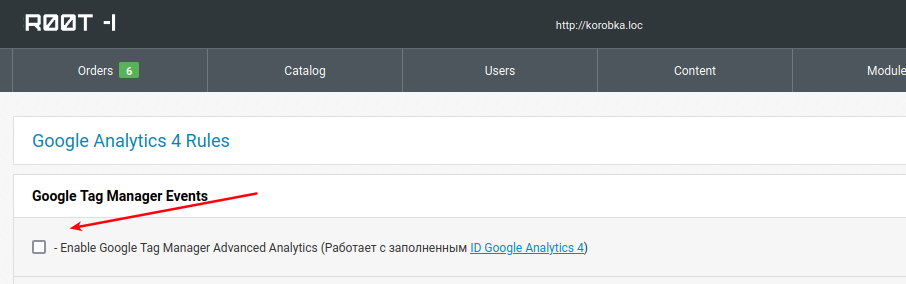
To activate GA4, check the box and fill in the Google Analytics key in "Settings -> Global settings -> Analytics settings -> Google Analytics 4 ID". It will not work without the key.
Events that the site responds to:
1. Event of viewing the product view_item
2. Event of adding to the cart add_to_cart with the quantity that was added
2.1 By clicking + in the cart, add_to_cart is triggered with the quantity 1
2.2 By clicking - in the cart, remove_from_cart is triggered with the quantity 1
2.3 By editing the quantity manually, + or - is calculated, the difference is calculated and the necessary Event is pulled
3. Event of deleting from the cart remove_from_cart with the quantity that was
4. Event view cart begin_checkout
5. Event view category page view_category
6. Event create order purchase
7. Event show widgets view_item_list
7.1 Event transition from widget to product select_item
8. Event show banners view_promotion
8.1 Event click on banner select_promotion
9. Event change shipping method in cart add_shipping_info
10. Event change of payment method in the basket add_payment_info
11. Event view article or article category view_content
12. Event search page search
13. Event page of promotional offers action_page
Event settings in the Google Analytics control panel should be made by an SEO specialist who will set up data accounting for each of the required accounting triggers.