


Currencies
To start manipulating the site's currencies, go to "Settings -> Currencies".
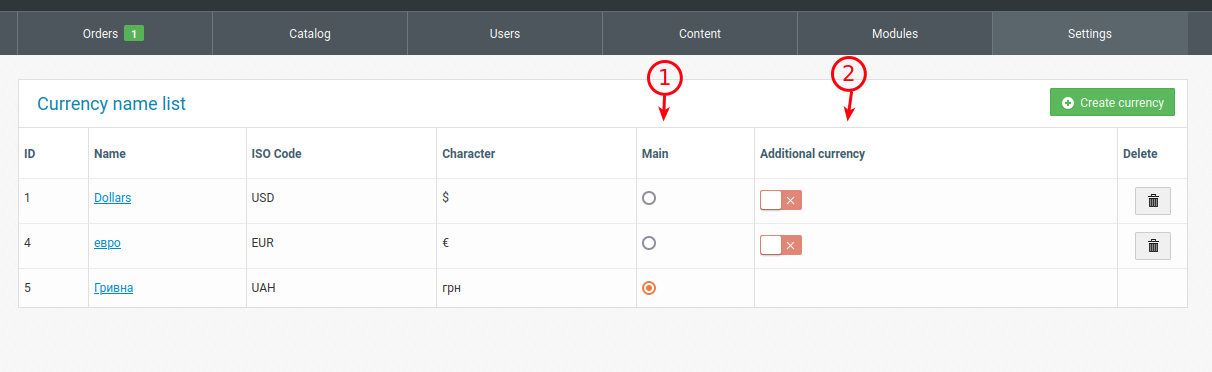
1. Indicator of the main currency of the site in which the price of the product will be displayed on the site.
2. Ability to display additional currencies in a product on the website for display.
Editing
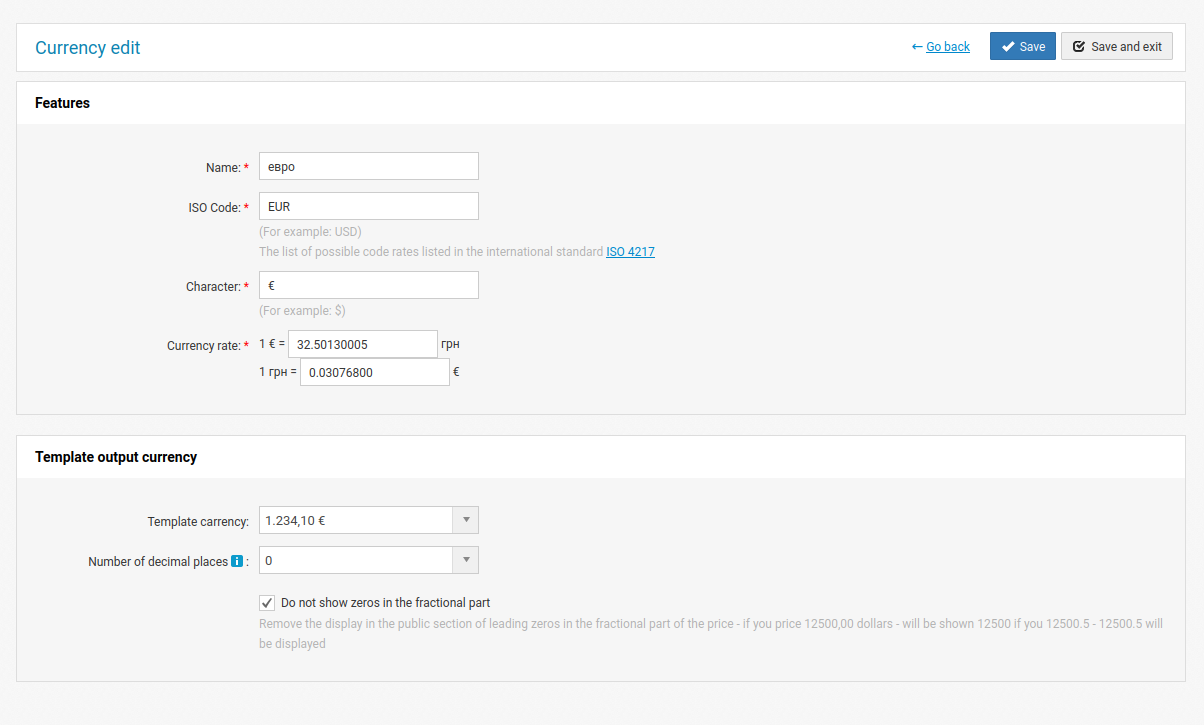
When creating and editing, it is possible to set the ISO code, symbol, currency price (for the main one, enter 1 to 1), as well as the output template and the number of decimal places.
You can set a price for a product in any currency, but it will only be displayed on the website in the main one.