


E-mail Notifications
To manage user wish lists, go to "Modules -> All modules -> E-mail Notifications".
The system has the following notifications:
1. About creating a new order
2. About changing the order status
3. Notification about the appearance of those users who left a request for this
4. About registration
5. About password recovery
6. About changing the password
7. When creating a wish list
8. When requesting a call back and feedback
Editing a template:
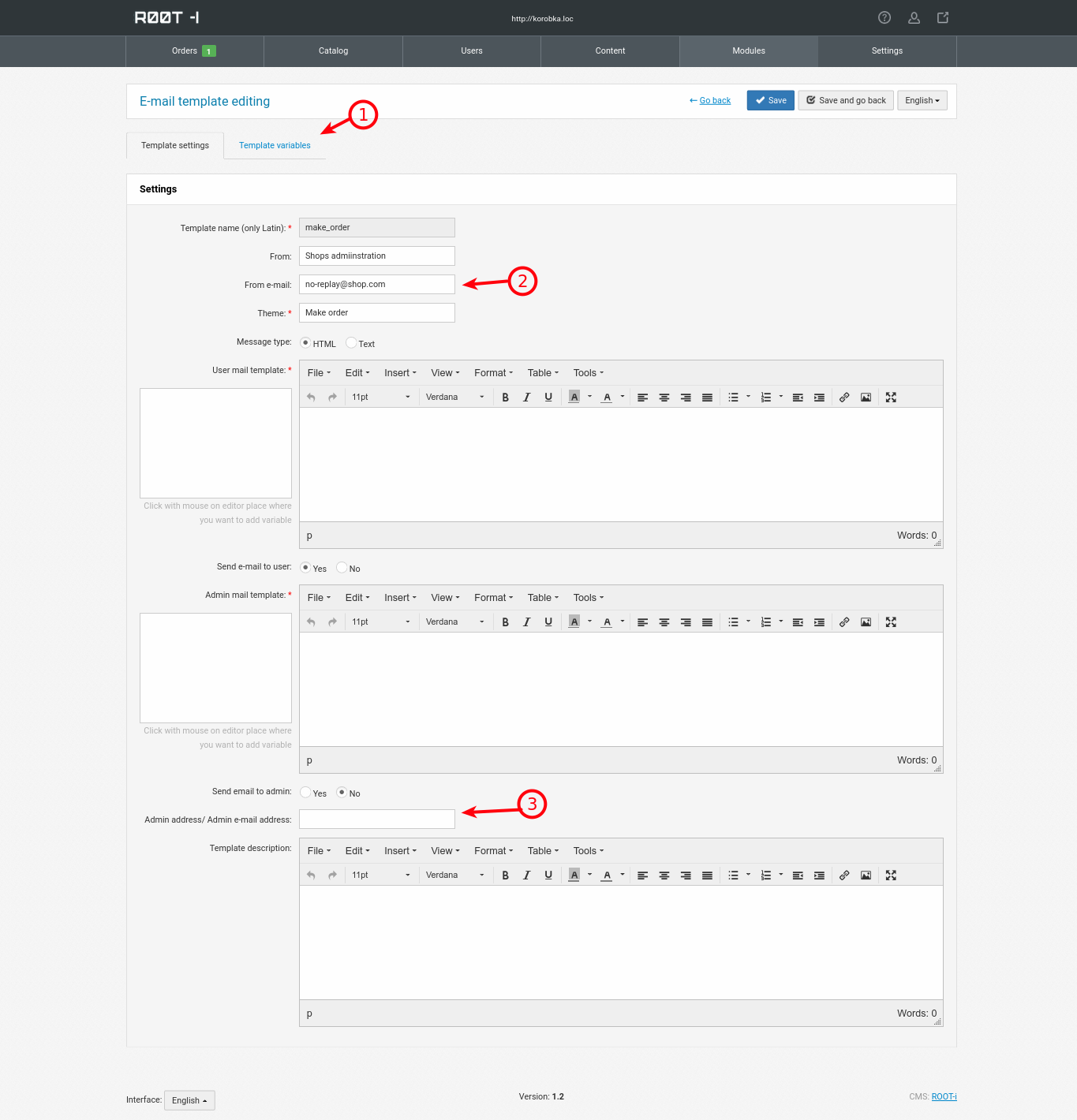
1. List of variables that are substituted into the template with information replacement. This tab is created for developers and new variables can only be added by binding them to the store system.
2. Data from whom the message was sent (the user will receive a letter with this data). The e-mail must be real and created on your hosting. (no-replay@shop.com is shown as an example, do not use it)
3. If there is a need for the administrator (order manager) to receive an email upon the event, then it should be specified. You can specify several separated by commas without spaces (no-r1@shop.com,no-r2@shop.com,no-r3@shop.com).
The remaining parameters are responsible for the functions they are signed with, there should be no questions with them.
Sending protocol:

1. Login to the settings of the protocol and data for sending notifications
2. The ability to create a new template (for developers)
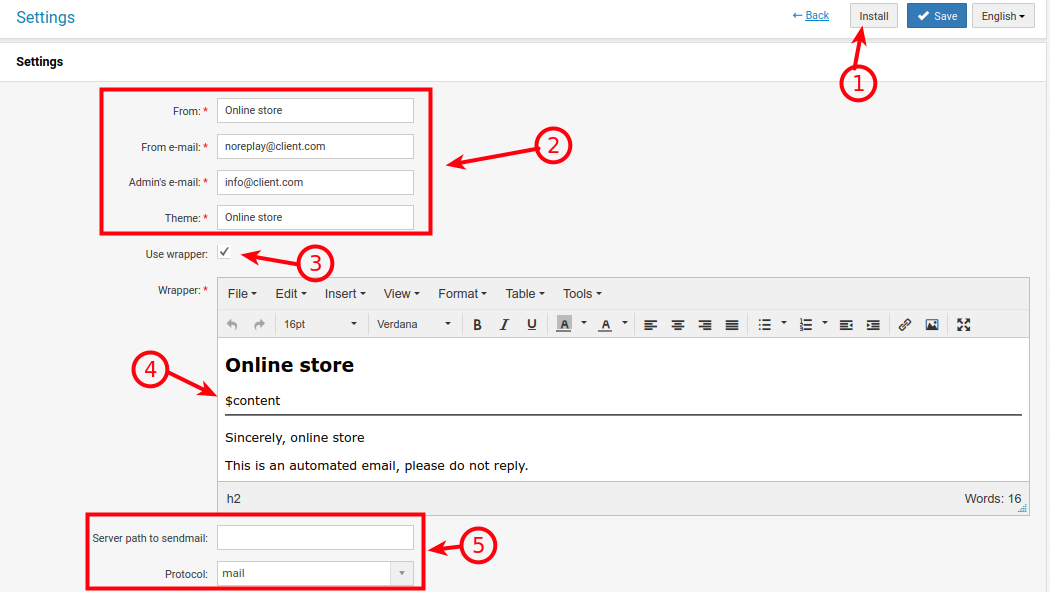
The data that can be changed depends on the selected language. If the site uses multilingualism, then fill in the data in all the required languages.
1. Returns all settings to the original data. Caution! The new will be deleted, and the existing will be replaced with the standard one.
2. Data that will be used by default if such parameters are not specified inside each template.
3. Use a message wrapper or not.
4. If the wrapper is used, the triggered notification template will be substituted into the $content variable
5. Depending on the needs and server settings, you can use the mail, sendmail, smtp sending protocols.
Mail: Inside the server command for sending and receiving mail, usually it should always work if this package is installed on the server.
Sendmail: A separate program for managing mail servers and routing mail. For this method, you should specify the field above (path to sendmail on the server, usually /usr/sbin/sendmail or /usr/lib/sendmail).
SMTP: Protocol for transmitting email between clients and servers, it is possible to connect to a third-party mailbox and work with it.