


Delivery methods
To start working with metadata of categories with an active filter, go to "Settings -> Delivery methods".
Creating and editing delivery methods
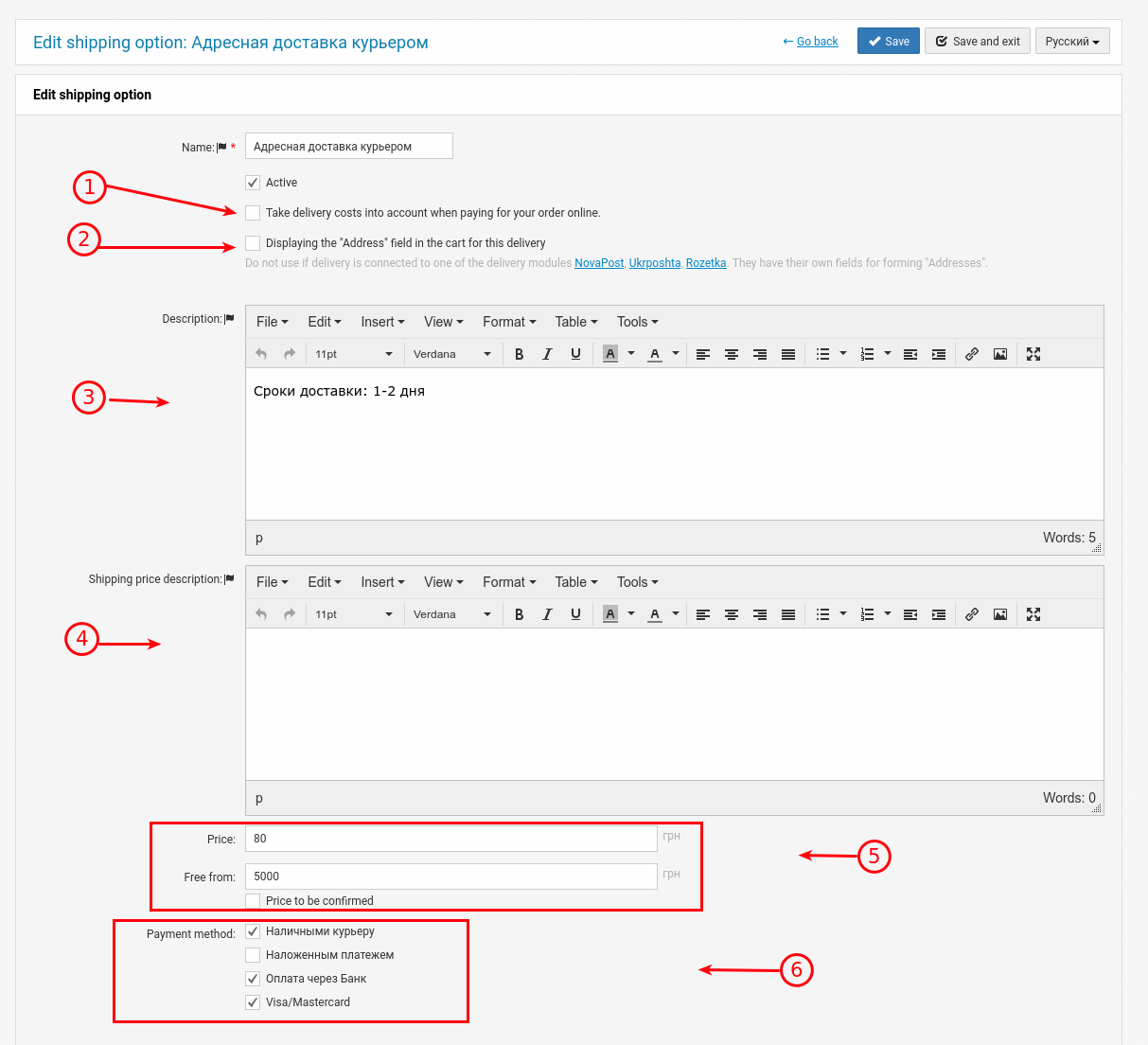
1. If the user selects a payment method with online payment on the site, the delivery cost will be included in the payment.
2. If no automatic mail modules are linked to the delivery method, there is an option to display a written field for entering the address.
3. A brief description of the payment method or a notification for the user. Depending on the template, it is displayed in the shopping cart and in the widget in the product.
4. An extension field, not yet used in some templates.
5. Fixed delivery price and the ability to make it free. If you need to specify "at the carrier's rates", use the "Price to be confirmed" checkbox.
6. You can link payment methods to each delivery method. They are mandatory.