


Seo Expert
To configure metadata templates for categories, products, and other pages, go to "Modules -> All modules -> SEO Expert".
SEO Expert allows you to mass configure a template for generating metadata for a page by substituting data from the page itself, both for certain types of pages and individually for each link.
Basic
General settings include defining the formation of metadata and the initial name and description of the site. Don't forget to fill in all the languages if the site is multilingual.
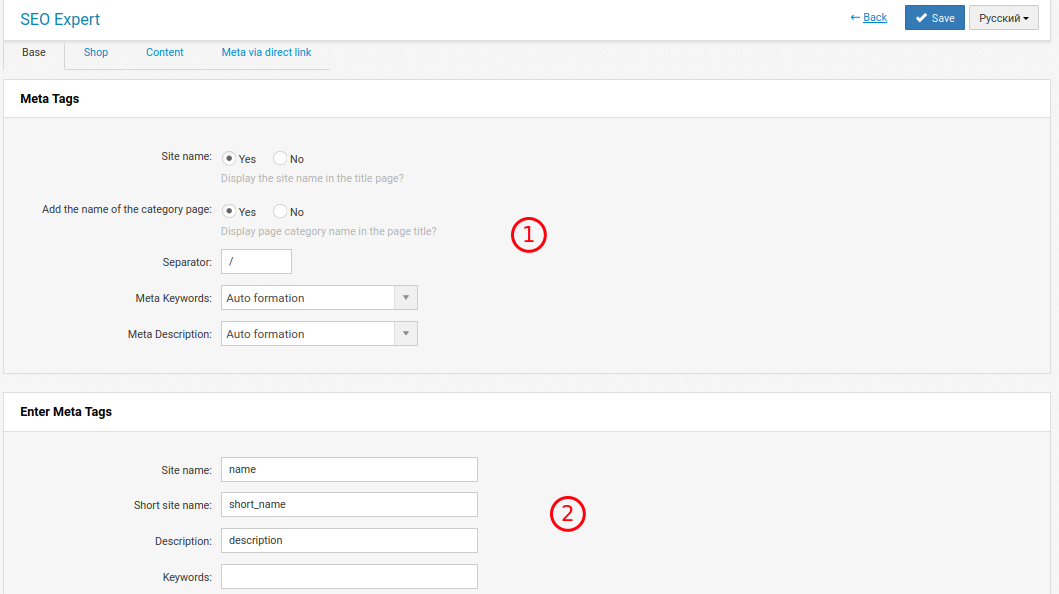
1. Meta data generation rule (title, description, keywords)
2. Site name and description that will participate in meta data generation when using templates. Multilingual sites should be filled in all languages used.
Shop and Content
Shop and content template settings are similar. These tabs are used to configure metadata for products, categories, brands, special pages (hits, promotions, new products), search, articles, article categories, etc.
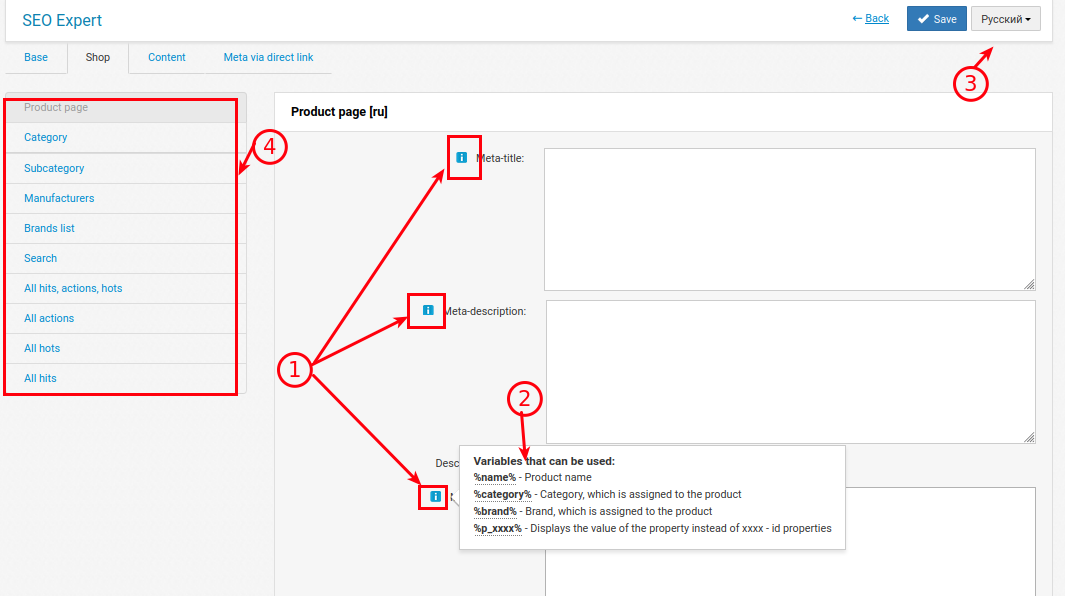
1. Each field has its own set of variables that can be used to generate metadata.
2. Clicking on the icon displays a list of available variables.
3. All templates are multilingual. If the site uses more than one language, you should fill in the data in the languages used.
4. Select which page type the settings are made to.
You can set meta data for each category for a product. For example, so that the Vacuum Cleaners category has a meta title of "Vacuum cleaner xxx at a good price", and for coffee grinders "Buy a cheap coffee grinder xxx". For more precise settings, click the "Additional settings for products for each category separately" button at the bottom of the page.
On pages with pagination, you can set the page number in the meta data. In "Uniqueness of pagination pages" set up a general template. In the meta data fields, you will be able to use this template with the "%pagenumber%" variable.
There is a meta data setting for filtering pages. For example, Category + Brand or Category + Property. But such a setting is made by the "Smart Filter" module
Meta by direct link
All pages that are not included in the above item can be set up individually. Meta data will be linked by link.
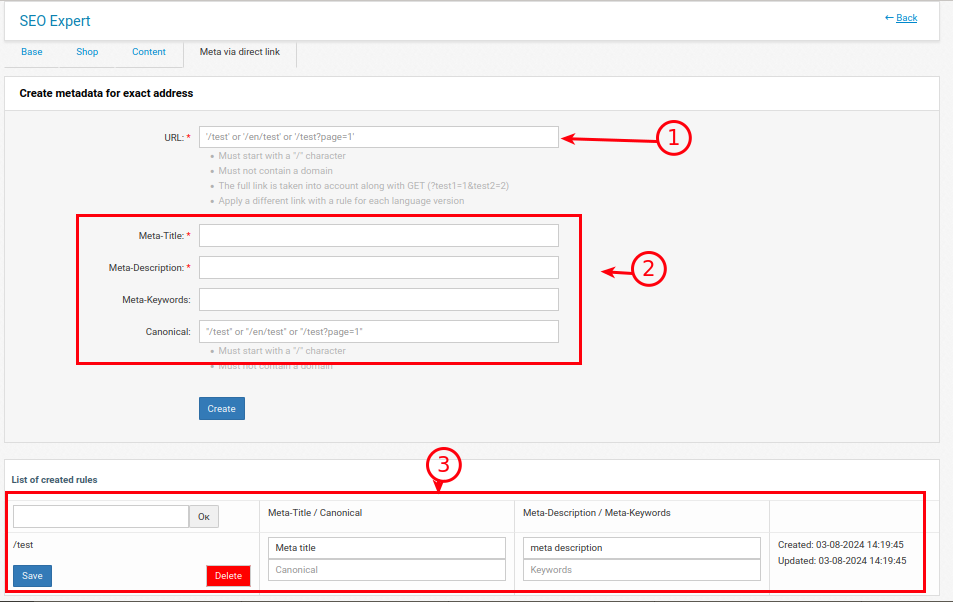
1. The link to which the meta data is linked. It should start with / and should not contain the domain name.
2. Entering the meta-data itself.
3. Viewing already created. Possibility of searching, editing and deleting.