


Image optimization and cleaning
To clean up unused photos or convert them to webp format, go to "Modules -> All modules -> Image optimization and cleaning".
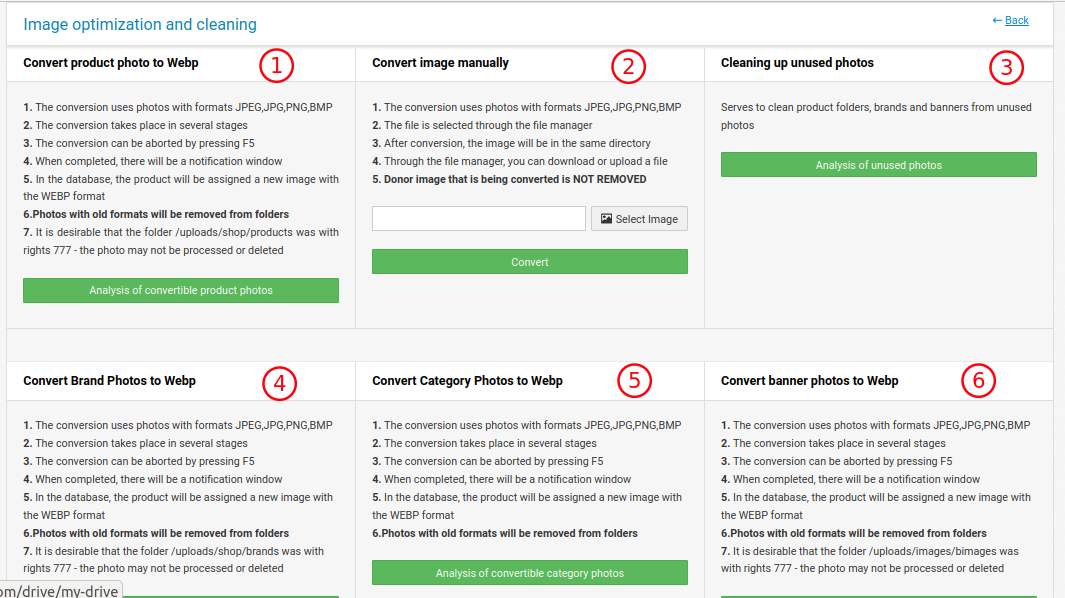
1. All product photos are recoded into a format easier for the web. After clicking, the progress bar will start. If you interrupt it, it will start from the point where you interrupted it.
2. Allows you to convert any one photo that you select manually.
3. There are cases when unused images accumulate in photo folders due to crashes or interruptions in the admin panel. This part searches for such photos and offers them for deletion.
4. Translates brand logos into a lighter format for the web.
5. Translates product category images into a lighter format for the web.
6. Translates brands into a lighter format for the web.
The name of the photos changes not only physically, but also in the database.
The rules of operation are described in more detail in the module.