


Wishlist
To administer user wish lists, go to "Modules -> All modules -> Wishlist".
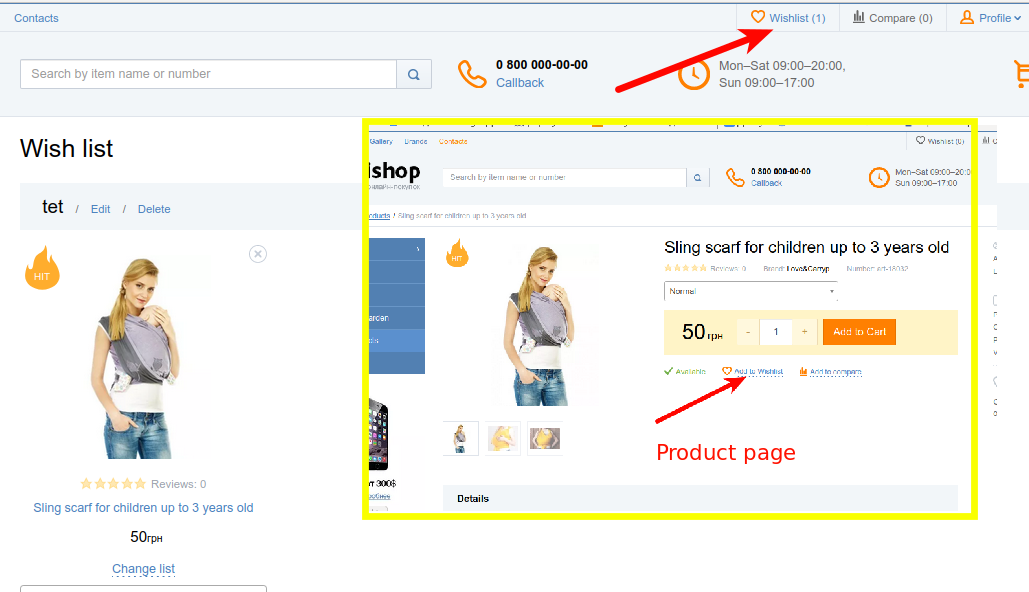
The user can create a wish list and add products to it that they plan to buy.
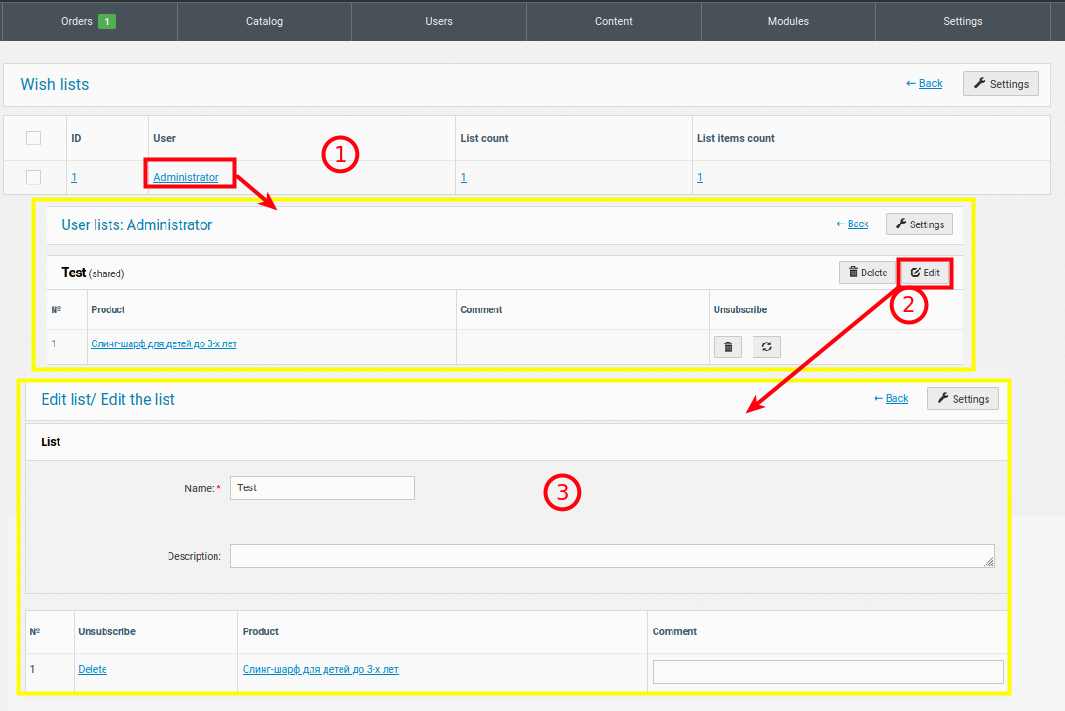
When administering, you can edit general settings (maximum length of username and wishlist, maximum number of lists and products).
Each list can be edited by clicking on the username.
1. General list of users who have created a wishlist. When you click on it, a list of lists and products in them opens.
2. Wishlists. You can edit each one or manage products from the list.
3. Editing a wishlist. You can set a Name (its title), manage products, and also set a description and comment (visible only in the admin panel)