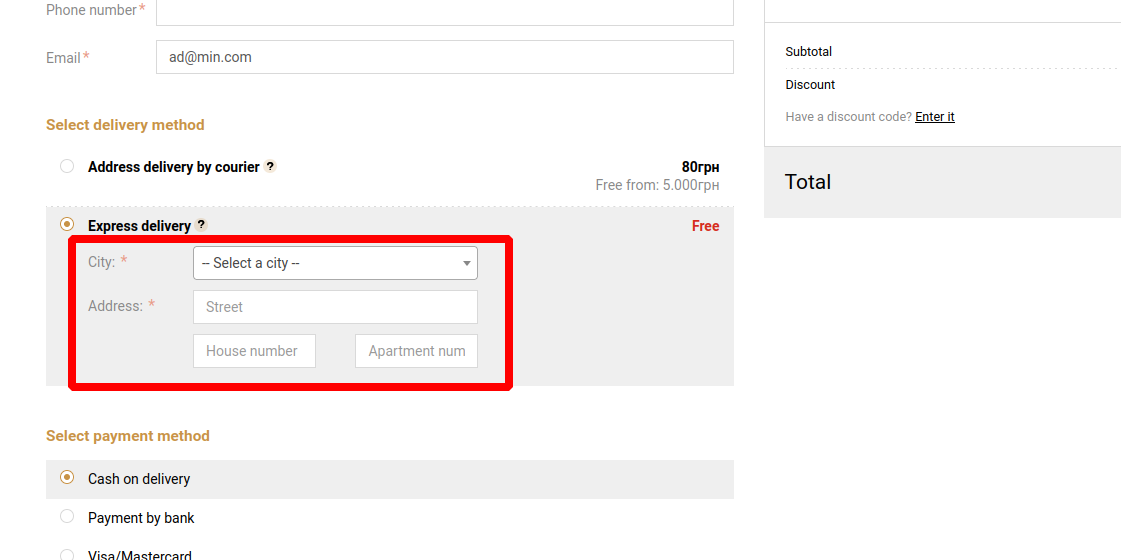
Delivery Nova Poshta
To start linking Nova Poshta to a delivery method, go to "Modules -> All modules -> Nova Poshta".

1. The last date of updating the list of cities. The site automatically updates the current cities when the first user of the day activates the basket.
2. Selecting a delivery method from "Settings -> Delivery method", in which, when the user works with the basket, the choice of city and branch will be displayed.
3. Selecting a delivery method from "Settings -> Delivery method", in which, when the user works with the cart, a choice of city and a field for entering data for address delivery will be displayed.
4. Nova Poshta provides its services only after registration and receipt of an API key. (The key validity period is set by Nova Poshta itself)