


Custom scripts
To insert scripts and styles from the admin panel into the site, go to "Modules -> All modules -> Custom scripts".
The module allows you to set a js script or css styles for work on the site using code from the admin panel.
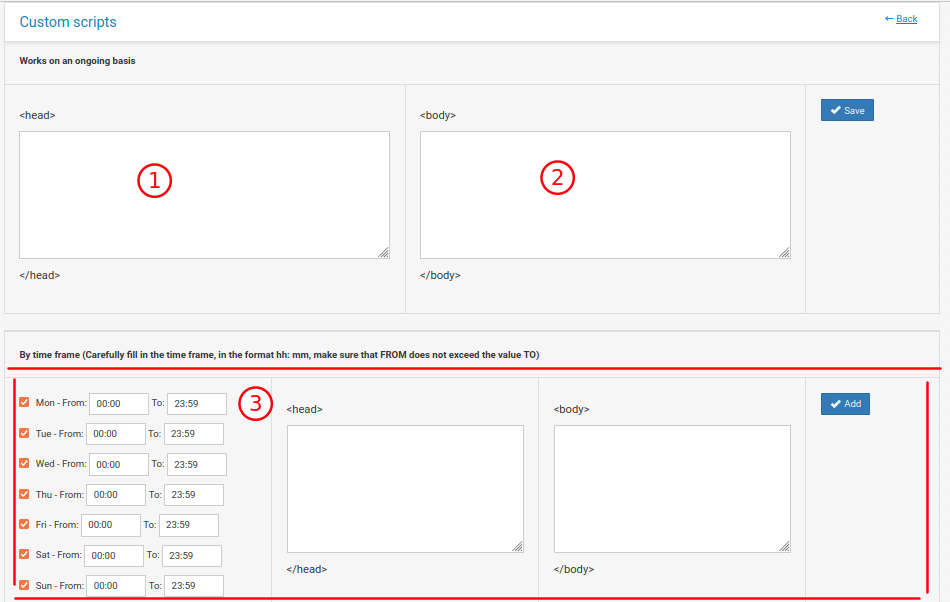
1. The script or style will be processed throughout the site and will be placed in the <head></head> part.
2. The script or style will be executed throughout the site and will be placed in the <body></body>
3. The same, but with the ability to divide it into days and times. For example, you can set up a chat script to be displayed on working days and times.